Buy VPN access
Choose an independent provider. Pay for the bandwidth you use, with no subscription.
 Nostr VPN
Pay for internet VPN access with Bitcoin, or connect your devices in a free private network.
No company account. No subscription. Open source.

Choose an independent provider. Pay for the bandwidth you use, with no subscription.
Share your internet connection, set your price, and earn Bitcoin for the traffic you carry.
Create a free private network for your computers, phones, and servers. Invite people you trust.
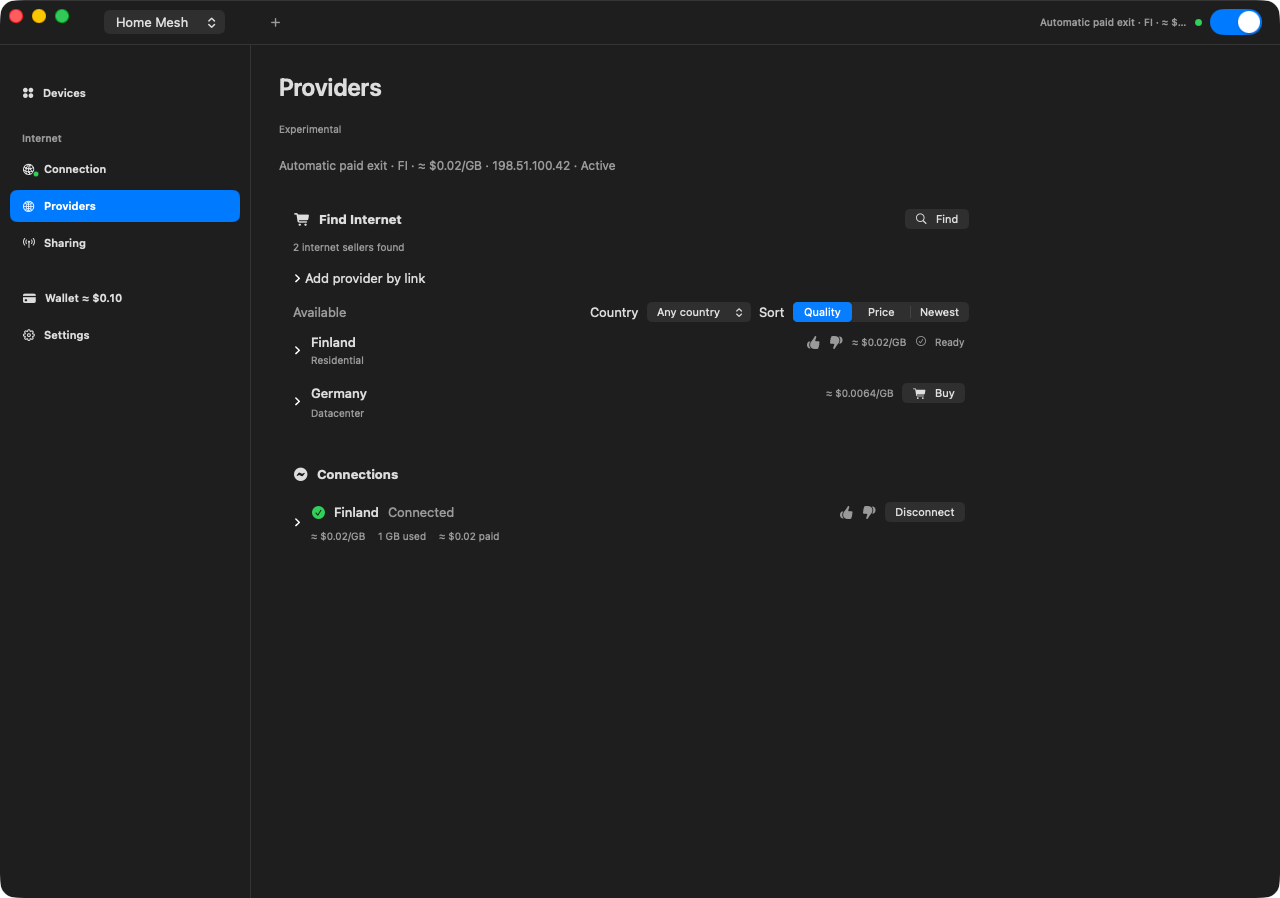
Browse independent providers by location and price, or let the app choose using connection quality, price, and trusted ratings.
Install Nostr VPN on macOS, Windows, Linux, or Android. No email or company account needed.
In the app’s wallet, pick a mint your provider accepts. A mint is the service that holds your wallet’s Bitcoin. Top up with a Lightning payment or Cashu tokens.
Select a provider or use Automatic. See the price per GB and track your usage and payments in the app.
Turn a Mac or Linux computer into an exit: a server that VPN customers send their internet traffic through. Share your own internet connection or a WireGuard VPN you already use.
Set your price and the mints you accept, and your exit appears in the marketplace. Customers get internet access only; they don’t join your private network.
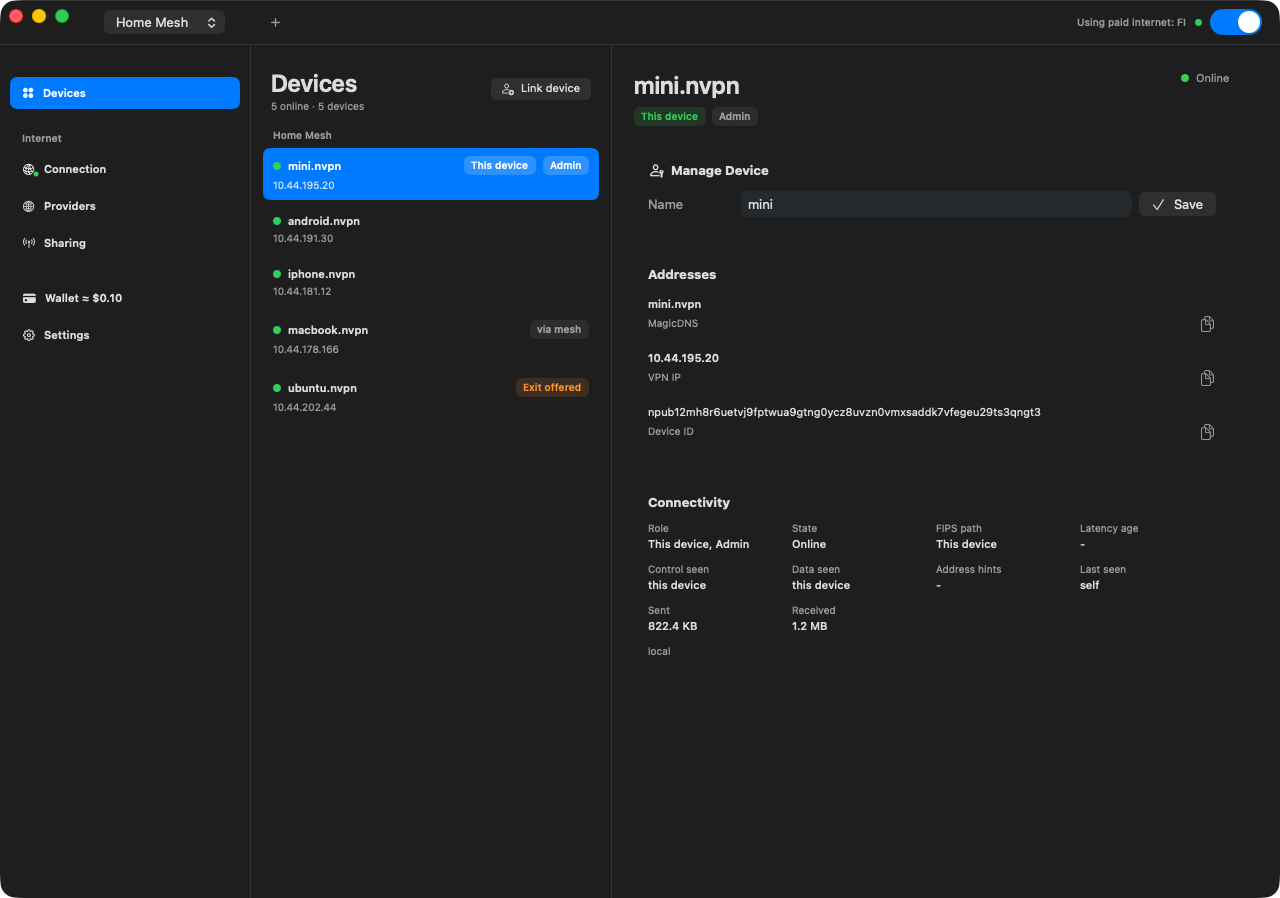
Create a Tailscale-like private network to reach your computers, phones, and home servers from anywhere. Share an invite link or QR code and approve who joins.
Private networking is free. No Bitcoin or wallet needed.
Connect your first two devices Compare with Tailscale
No company account or coordination server to run. Nostr handles discovery, and your devices form an encrypted mesh.
Use familiar names like server.nvpn for private services, or route through a trusted device or your own WireGuard connection.
The app is free. Marketplace providers set their own bandwidth prices. On iPhone, private networking works, but paid VPN access and the wallet are not available.
Connect servers, manage your mesh, or run an exit from the command line.
Download the latest x64 build and run its installer.
Build nvpn from source with Rust’s package manager.
Nostr VPN primarily uses our fork of FIPS (Free Internetworking Peering System) for encrypted mesh networking, with Nostr for peer discovery. WireGuard is also supported for internet exits: connect through your own WireGuard VPN profile, or use it as an uplink when running an exit.
Open Wallet, add a Cashu mint you trust that your provider accepts, then choose Receive. Enter an amount in sats (small units of Bitcoin) and create a Lightning invoice. Pay it by scanning the QR code or pasting the invoice into a funded Lightning wallet. You can also paste Cashu tokens from an accepted mint into Receive.
For the basics, see the Cashu.me written guide or YouTube walkthrough by BTC Sessions.
Independent providers run marketplace exits; Nostr VPN does not operate them. The VPN encrypts traffic between you and the exit. The exit can still see destination IP addresses, traffic timing and volume, sometimes website names, and unencrypted traffic. Use HTTPS.
While an internet exit is active, Automatic DNS uses Cloudflare’s encrypted DNS (DNS-over-HTTPS), or your WireGuard profile’s DNS when supplied. In Exit DNS settings, you can choose Cloudflare, Quad9, a custom encrypted resolver, or DNS through the exit. Profile DNS and DNS through the exit can be read by that provider. Encrypted DNS hides queries from the exit, though the DNS resolver can read them. If encrypted DNS fails, it does not switch to unencrypted DNS.
A Cashu mint issues the Bitcoin-backed ecash used by the wallet. Choose a mint you trust that your provider accepts: it holds the Bitcoin backing your tokens, and you rely on it to redeem them. You can fund the wallet through Lightning or receive compatible Cashu tokens.
Some funds are reserved in a payment channel with your provider. Unspent credit can return to your wallet when the channel settles; this may require waiting for the channel to expire and the mint to be available. Check the channel status in the app, and keep your wallet data until settlement finishes. Wallet balance can be sent as Cashu tokens or withdrawn through Lightning, subject to mint availability and fees.
Buy access on macOS, Windows, Linux, and Android. Sell access from the macOS and Linux apps. iOS supports private mesh networking and configured exits, but has no paid exits or Cashu wallet. The marketplace is experimental.